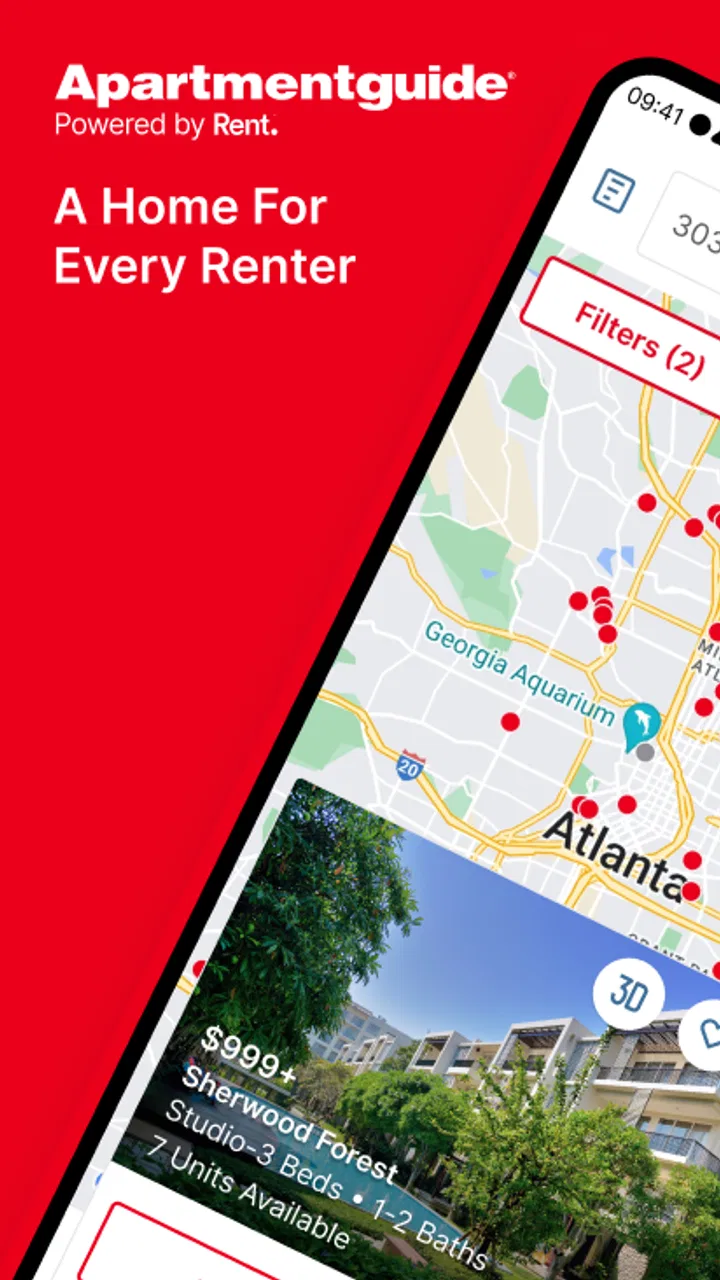
Apartments by Apartment Guide
- 4.6
- Rating
- 1.00M
- Installs
- Free
- Price

 Analysis by App-foxy
Looking for a rental can turn into a full evening of opening tabs, comparing neighborhoods, and trying to remember which landlord said what. I found Apartments by Apartment Guide useful because it gives that search a more focused starting point: homes and apartments gathered in one place, with the basic details arranged for browsing rather than scattered across unrelated pages.
I would describe it as a practical rental-search app for people who are still narrowing down where and how they want to live. It is free, aimed at everyone, and developed by Rent Group, Inc. The app has been around since September 2, 2010, and its current version is 12.2.0 for devices running Android 8.0 or later. Those details matter mainly because this is not a brand-new experiment; it is an established tool with a long history in the apartment-search space.
My overall impression is positive, but I would not treat it as a complete replacement for speaking with a property manager or checking a home carefully before applying. Its best role is helping me build a sensible shortlist, compare possibilities, and decide which listings deserve closer attention.
You May Also Like

 Blood Strike: 2.5 Anniversary
Blood Strike’s Loadouts Turn Every Drop Into a Tactical Gamble
A close look at Blood Strike’s custom loadouts: how fast access to signature weapons reshapes its battle royale rhythm, rewards preparation, and narrows the gap between fights.

 Pandora - Music & Podcasts
Pandora’s Music Is Easy to Start, but Harder to Recover
Pandora’s strength is its low-effort path from a seed to a station. Its weak spot is how much confidence it asks you to place in connection, setup, and quiet recovery.

 8 Ball Pool
 Is Built on Rivalries, Rematches, and Routine
A close look at the rivalries, rematches, shared routines, and unanswered safety questions that turn a quick pool match into a persistent mobile community.

 Samsung Music
’s Quiet Strength Is Playing What You Already Own
Its reach comes less from spectacle than from dependable access to a personal library. That simplicity is both the app’s strongest retention engine and its ceiling.

 AccuWeather: Weather Radar
AccuWeather Review: A Quick, Clear Forecast for Everyday Decisions
For everyday plans, the best forecast is the one you can understand quickly. AccuWeather makes rain timing, radar, and local conditions easy to act on, with a few trade-offs.

 Hill Climb Racing
Why Hill Climb Racing Still Turns Crashes Into One More Run
A tiny car, a bumpy hill and one more upgrade: Hill Climb Racing keeps resurfacing because its simple chaos makes every near-miss feel personal.
More From Our News Desk



What the rental search feels like in everyday use
The first thing I noticed is that the app makes more sense when I approach it with a clear search goal. “Find an apartment” is too broad. A target area, a rough budget, an acceptable home type, and a move-in timeline make the results much easier to judge. Without those boundaries, browsing can become an endless stream of attractive but unsuitable options.
I would use it in two stages. First, I would explore the market to learn what different neighborhoods and property types look like. Then I would tighten the search and save only the places that meet the essentials. That separation is important: early browsing is for learning, while later browsing should be about making a decision.
The app is especially helpful for someone moving to an unfamiliar city. A local renter may already know which areas fit a commute or which buildings are worth visiting. A newcomer usually needs a broader view. Apartment Guide can help that person understand the range of available homes before making appointments, arranging transport, or committing to an application.
I also see value for people who are relocating under time pressure. If I had accepted a job in another city and needed a place quickly, I would use the app to create a first-pass list during a lunch break, then revisit the strongest candidates later. That is more realistic than expecting to choose a home immediately from a single browsing session.
The service has a strong audience signal: it has passed one million installs, with a 4.6 average from around forty-seven thousand ratings and roughly six thousand one hundred written reviews. I do not see those figures as proof that every listing or search experience will suit every renter, but they do suggest that the app has become a familiar option for people looking for homes.
What to prepare before installing
Before opening the app, I recommend writing down three kinds of requirements. The first are non-negotiable items, such as the general location, the maximum monthly amount you can realistically manage, and the type of home you need. The second are preferences, such as extra space, a particular layout, or a preferred area. The third are questions that only a conversation or visit can answer.
This simple preparation prevents a common mistake: rejecting a suitable listing because one preference was not available, or becoming attached to a listing that fails an essential requirement. A rental search is easier when I know which filters protect my budget and which ones are merely nice to have.
I would also keep a separate note on my phone for listings that interest me. Record the property name, neighborhood, apparent rent, contact status, and the reason it made the shortlist. This is useful because several homes can start to look alike after a while. The app can help with discovery, but my own comparison notes are what turn discovery into an organized decision.
From installation to the first useful result
I find that the first useful result comes from treating the initial search as a market check, not a race to choose a home. I would note which details keep appearing across suitable listings and use that pattern to refine my budget or area before contacting anyone. That gives the next stage a clearer purpose: making the search narrower without overlooking a workable alternative.
Start broad, then make the search meaningful
After installing the app, I would begin with the area where I genuinely expect to live rather than searching an entire region. A broad location can produce too many distractions, while a precise neighborhood may hide good alternatives if I am still learning the city. Starting with a familiar landmark, district, or nearby area gives me a manageable first view.
My first successful action would not be contacting the first attractive property. It would be finding several listings that appear to fit the same basic needs. That gives me a small comparison group and helps reveal whether my expectations match the local rental market.
For example, imagine I am moving for work and want a modest home near a daily commute. I would search the likely area, scan the first results for realistic options, and note which listings seem suitable because of location rather than just appealing photos. I would then compare the shortlist by practical questions: Is the area workable every day? Does the home seem large enough? Is the displayed cost within my planned limit? Does the listing give me enough information to decide whether to investigate?
This workflow is less exciting than rapidly opening every result, but it produces a better outcome. The goal of the first session is not to finish the move. It is to leave with a clear idea of the market and a few properties worth checking again.
Use the app as a comparison tool, not just a discovery feed
A useful but easy-to-miss habit is to compare similar homes instead of judging each one in isolation. A listing may look expensive until I compare it with nearby options that offer less space or a less convenient location. Another may look affordable but require compromises that are not obvious at first glance.
I would group candidates into three informal categories: realistic, possible, and unsuitable. “Realistic” means the property appears to match the essential needs. “Possible” means it could work if one uncertainty is resolved. “Unsuitable” means it fails a key requirement, even if the photos are appealing. This keeps the search from filling with attractive distractions.
When I find a promising home, I would read the listing carefully before reaching out. I want to understand what is clearly stated, what needs clarification, and whether the home is worth the time involved in a viewing. That approach makes the contact step more efficient and reduces the chance of asking questions that the listing already answers.
Turn a promising listing into an actionable lead
The first meaningful success is reached when I can explain why a particular property deserves a next step. That might mean arranging a viewing, asking about availability, or checking whether the home fits a planned move. The app is valuable here because it narrows a vague search into a concrete lead.
I would prepare a short message or call checklist before contacting anyone. I would ask whether the home is still available, what the full recurring cost would be, which move-in date is possible, and what the next stage of the process involves. I would also ask about any point that affects my decision, such as the exact location within the area or the practical suitability of the layout.
Keeping the questions short helps both sides. It also creates a useful record for comparing properties later. I would not rely on memory after contacting several listings, especially if the homes are in different neighborhoods or have similar names.
One important trade-off is that a search app can make a property feel more definite than it really is. A listing is a lead, not a guarantee. Availability can change, details may need confirmation, and a photograph cannot replace seeing the surroundings. I treat the app as the beginning of verification rather than the final authority.
Confusing moments and practical limits
The main friction is not just browsing too many homes; it is deciding how much confidence to place in each listing. I would separate confirmed details from assumptions in my notes, especially around costs, timing, and location, so an appealing photo or headline figure does not quietly become a promise in my mind. The next section looks at how I would keep the process useful once the first batch of results is behind me.
Why search results can feel less useful than expected
Rental searches are naturally sensitive to location and timing. A result that looks perfect on paper may not fit once I consider the daily route, nearby services, building surroundings, or the real cost of living there. This is not a flaw unique to Apartment Guide, but it is something a first-time user should expect from any listing service.
Another source of confusion is the difference between an advertised amount and the total monthly commitment. I would never assume that the most visible price tells the whole financial story. Before treating a property as affordable, I would ask about recurring charges, one-time costs, deposits, utilities, and any conditions attached to the advertised amount.
The app can help me find candidates, but it cannot make that financial judgment for me. My budget should include a margin for costs outside the headline figure. If a home only works when every assumption is perfect, I would move it from the realistic group to the possible group until the details are confirmed.
Photos and descriptions need a reality check
Photos are useful for quickly removing unsuitable homes, but I would be cautious about using them to rank the final choices. Images may emphasize the most attractive room and provide little sense of noise, natural light, street activity, storage, or the condition of shared spaces.
My better workflow is to use the images for an initial screen, the written details for basic comparison, and direct questions or a visit for verification. I would also look at the surrounding area separately when location matters. A home can be excellent inside and still be a poor choice if the daily journey is impractical.
This is one situation where a different tool may be better. A map service is often stronger for estimating routes and understanding the neighborhood, while a spreadsheet or notes app is better for detailed cost comparisons. Apartment Guide is most useful when it is part of that process, not when I expect it to perform every task involved in choosing a home.
Who should use it and who may want another approach
I think it suits first-time renters, people comparing several neighborhoods, and anyone who wants a dedicated place to begin an apartment search. It is also useful for renters who prefer browsing on a phone and want to turn spare moments into productive research.
I would be more cautious about recommending it as the only method for someone with highly specialized requirements. If a renter needs a very specific accessibility arrangement, an unusual lease structure, or a narrowly defined property type, direct local contacts and specialist housing resources may provide better answers. The app can still be worth checking, but I would not depend on a general listing search alone.
It may also be the wrong first choice for someone who already has a trusted local agent or a confirmed list of buildings. In that case, the extra browsing may add noise rather than value. The strongest reason to install it is uncertainty: I need to understand what is available and identify realistic options.
How I would use it after the first search
After the first search, I would shift from collecting options to resolving the uncertainties that matter most. A short, ranked list of questions for each candidate can make follow-up conversations more productive and show quickly which homes are worth a visit. That approach also helps me decide when to stop browsing and spend my time comparing the strongest leads instead.
Build a shortlist that survives closer inspection
Once I have a few candidates, I would stop searching for a moment and test the shortlist. For each home, I would write down the reason it remains under consideration and the biggest unresolved question. This is more useful than simply collecting more listings.
For one property, the open question might be the total monthly cost. For another, it could be the commute or whether the layout works for my furniture. A third may look suitable but need confirmation that it will be available around my move. By naming the uncertainty, I know exactly what to ask next.
I would also set a stopping rule. For example, after finding several credible options, I would focus on contacting and comparing them instead of endlessly browsing. More results do not always create more confidence. At some point, they only make the decision harder.
Use a two-pass decision process
My preferred method is a quick first pass followed by a slower second pass. During the first pass, I remove homes that obviously miss the location, budget, or basic space requirement. During the second, I examine the remaining listings with a more skeptical eye and prepare questions for each one.
This two-pass approach is particularly helpful on a phone. Small screens encourage rapid scrolling, and rapid scrolling can make every listing feel equally important. Separating discovery from evaluation gives me permission to browse quickly at first, then slow down when a property earns attention.
I would not contact every listing. A focused group of strong candidates is easier to manage, and thoughtful questions are more likely to produce useful answers than a large number of rushed messages. The app helps with the first part of that process; my own organization handles the second.
Know what the app can and cannot decide
Apartment Guide can help me answer, “What homes should I investigate?” It cannot fully answer, “Which home is right for my life?” That final decision depends on details that require judgment: the daily routine, the surrounding area, the condition of the property, the clarity of the rental terms, and whether the total cost feels sustainable.
That distinction is not a criticism. In my experience, a good search app should reduce wasted effort without pretending to remove the need for careful checking. This one works best when I use it to create momentum, then bring my own questions and standards to the next stage.
The app is free and carries an Everyone content rating, which makes it easy to recommend as a low-risk starting point for a broad audience. Its established presence and large user base add reassurance, while the current Android requirement of version 8.0 or later is worth checking before installation on an older device.
My recommendation for a first-time renter
If I were helping a friend begin a rental search, I would suggest installing Apartments by Apartment Guide and using it with a simple plan: choose a realistic area, define the essentials, compare a small group of homes, and contact only the listings that survive that first review.
I would not tell that friend to trust a listing without verification, or to judge a home from its photos and headline cost. I would encourage them to use the app to learn the market, identify questions, and arrange the next practical step. That makes the experience calmer and more productive than treating the search as a race to find one perfect result.
For me, the strongest benefit is the transition from vague browsing to an actionable shortlist. The main limitation is that the app cannot replace neighborhood research, financial checking, or a proper conversation about the property. If I keep those boundaries in mind, it becomes a useful companion for apartment hunting rather than an unrealistic all-in-one solution.
My bottom line: this is a worthwhile free starting point for renters who need to explore apartments and rental homes, especially first-time users and people moving to an unfamiliar area. I would use it to discover possibilities, organize the early search, and decide which listings deserve verification. I would then rely on careful questions, local research, and an in-person check before making any serious commitment.
FAQs for Apartments by Apartment Guide
01What features does the Apartments by Apartment Guide app offer?
The Apartments by Apartment Guide app provides a comprehensive platform for searching rental properties. Users can filter searches by location, price, amenities, and more. The app also offers virtual tours, high-quality images, and detailed descriptions to help users make informed decisions. Additionally, it includes tools for contacting landlords and scheduling viewings directly through the app.
02Is the Apartments by Apartment Guide app free to use?
Yes, the Apartments by Apartment Guide app is free to download and use. Users can browse listings and access most of the features without any charges. However, some premium features or listings might require additional fees or subscriptions, especially services offered by third parties, such as credit checks or application fees.
03How accurate are the listings on the Apartments by Apartment Guide app?
The app strives to maintain accurate and up-to-date listings by regularly verifying information with property managers and landlords. Users are encouraged to report discrepancies they may find. Despite these efforts, occasional errors can occur, so it’s always a good idea to confirm details with the property directly before making decisions.
04Can I save my favorite listings on the Apartments by Apartment Guide app?
Yes, the app allows users to save their favorite listings for easy access later. Users can create an account or log in through social media to keep track of saved properties. This feature helps in organizing potential choices and comparing different listings as users continue their search.
05Does the Apartments by Apartment Guide app support multiple locations?
Absolutely, the app supports searches across multiple locations. Users can set search parameters for different cities or neighborhoods and receive tailored results for each area. This feature is particularly beneficial for users relocating or considering multiple options across different regions.
Pros
- User-friendly interface for easy navigation.
- Comprehensive filters for personalized searches.
- High-quality images of listed properties.
- Detailed property descriptions available.
- Integrated map view to locate properties.
Cons
- Limited availability in some regions.
- Occasional slow loading times.
- In-app ads can be intrusive.
- Some listings lack updated information.
- Requires account for full functionality.

Apartments by Apartment Guide
Gallery